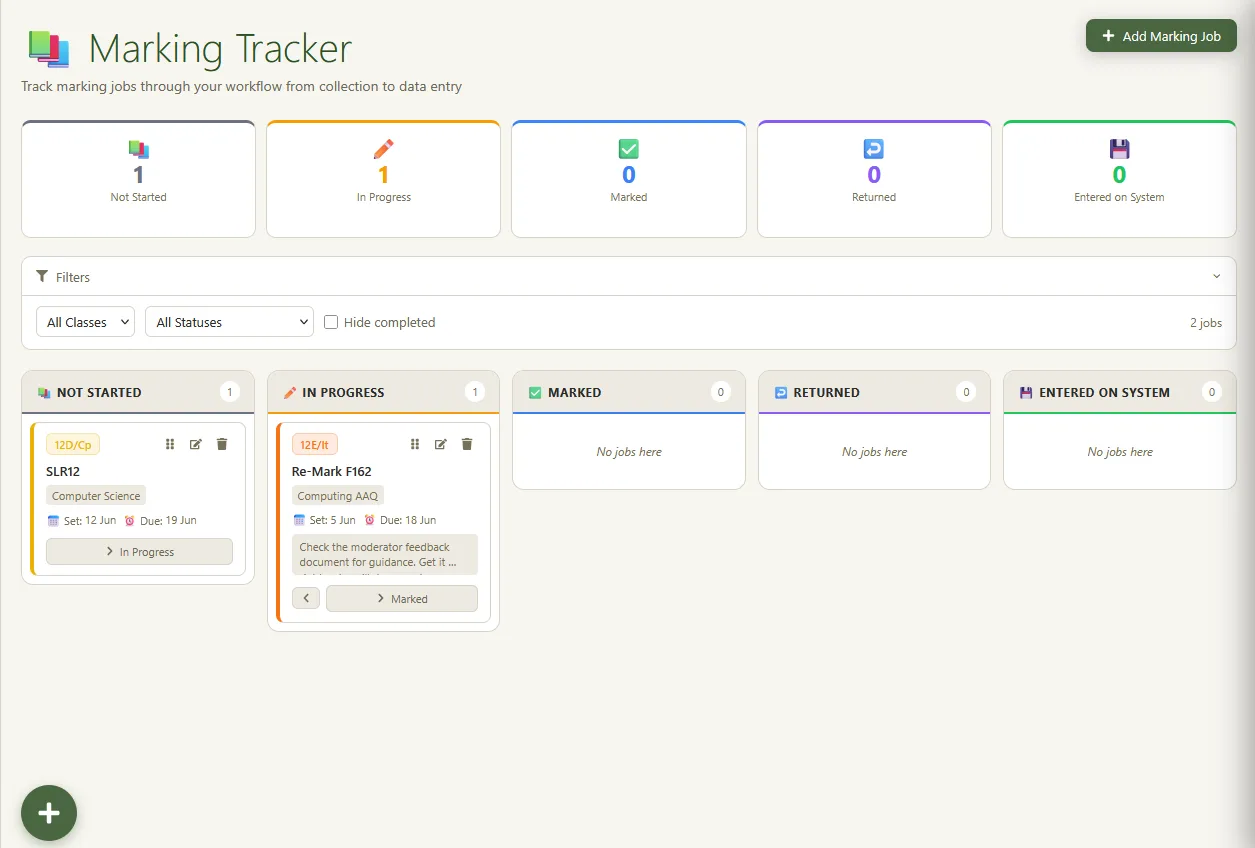
The pile of exercise books on your desk shouldn't be your tracking system. Teacher Task Manager's marking tracker lets you log marking jobs by class, set return dates and see your entire marking workload in one clear view, so nothing slips through.
Marking Tracker is available on the Pro plan · £4.49/month or £44.99/year
Year 10's essays went out two weeks ago. Year 7 handed in their reading journals on Monday. Year 13 coursework drafts are due back Friday. Or was it next Friday? You said something to Year 9 about getting their books back before the assessment, but you haven't started them yet.
Without a dedicated system, marking workload is invisible until it becomes a crisis. A pile of books on the desk or a sticky note on the board isn't a tracking system; it's organised chaos. When you're managing four or five classes simultaneously, you need something more reliable.
The marking tracker in Teacher Task Manager solves this with a simple, purpose-built interface for logging and tracking your marking jobs across all your classes.
Marking is only one part of the load, of course. If you are still deciding which teacher planner app to go for, it is worth checking what else a tool covers before you commit to it.
Simple enough to log in 30 seconds, powerful enough to manage a full teaching load.
Add the class, the type of work (essays, assessments, journals, coursework), and the number of books or scripts. Takes about 20 seconds.
Choose when the books need to go back. The app cross-references your school calendar so you can see if that date is realistic given your timetable.
Update the status as you work through the pile: Not Started, In Progress, or Complete. See your full marking load at a glance on the tracker board.
Push notifications alert you before a return date arrives, even with the app closed. No more realising on the morning that books should have gone back yesterday.
Paired with the rest of Teacher Task Manager's workload tools.
Log each marking job against a specific class or year group. See immediately which classes have outstanding marking and which are clear.
A single dashboard shows all active marking jobs, their return dates, and their progress status. No more forgetting something is outstanding.
Return dates are checked against your school term dates and INSET days, so you can set realistic deadlines that line up with when you'll be in school.
Your daily AI briefing factors in outstanding marking alongside your other tasks, flagging marking deadlines that are approaching or overdue.
Other ways Teacher Task Manager fits your school week.
The marking tracker is part of Teacher Task Manager Pro: £4.49 a month or £44.99 a year.